Built around the analysis steps scientists repeat
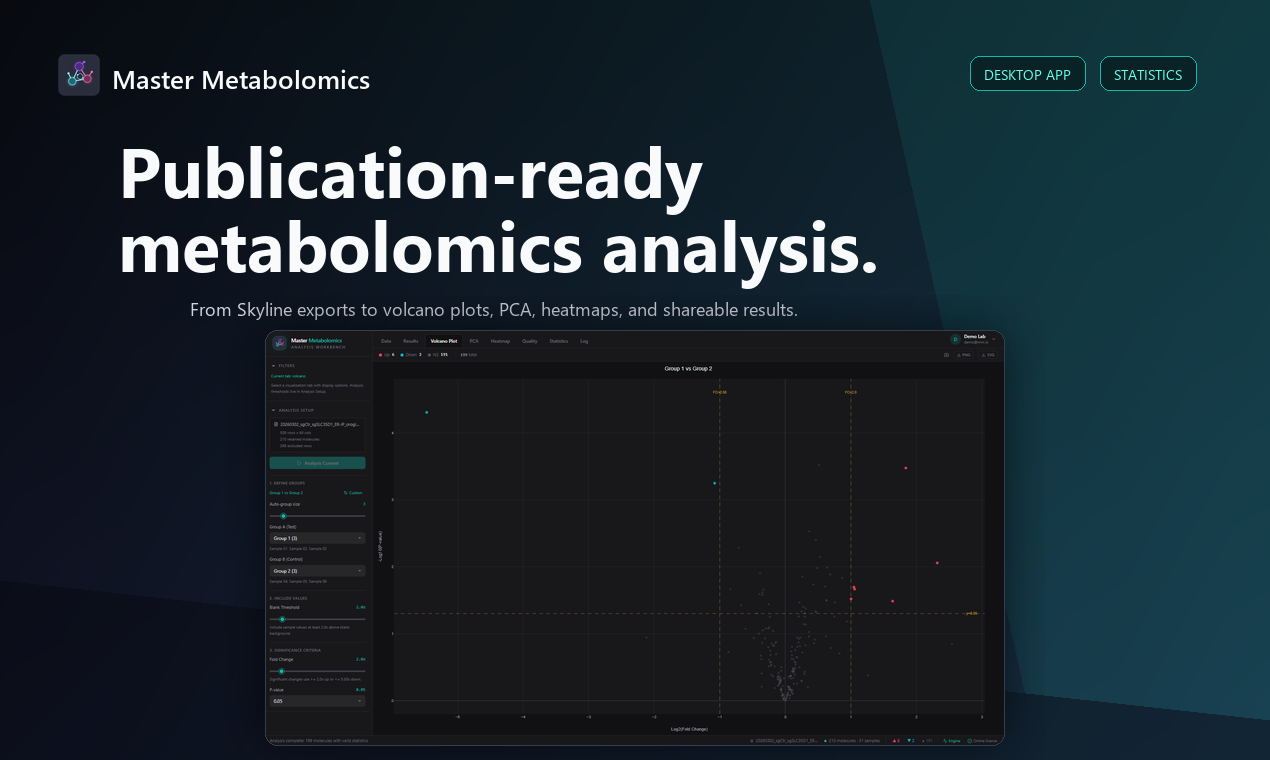
The desktop workflow starts with CSV or XLSX data, then keeps the practical decisions visible: sample grouping, blank threshold, fold-change cutoff, p-value cutoff, and the current analysis state.
Instead of scattering those steps across scripts and notebooks, Master Metabolomics keeps the setup, visuals, result tables, and processing log in one local workbench.
Visuals and statistics stay connected
Volcano plots, PCA, heatmaps, statistics, quality/completeness, and searchable result tables are generated from the same selected groups and thresholds.
When thresholds change, the app makes the analysis state explicit so reviewers can understand which choices produced the current result set.
- Welch-style statistical comparison workflow
- Fold-change and p-value controls
- Searchable molecule result tables
- Exportable result sets and processing logs
Designed for local desktop work
Research data is processed on the desktop machine. The web account layer handles sign-in, subscriptions, teams, and device seats, while the scientific workbench remains a local application.